Screenshots
Explore the Filename Ninja interface and its key workflows.
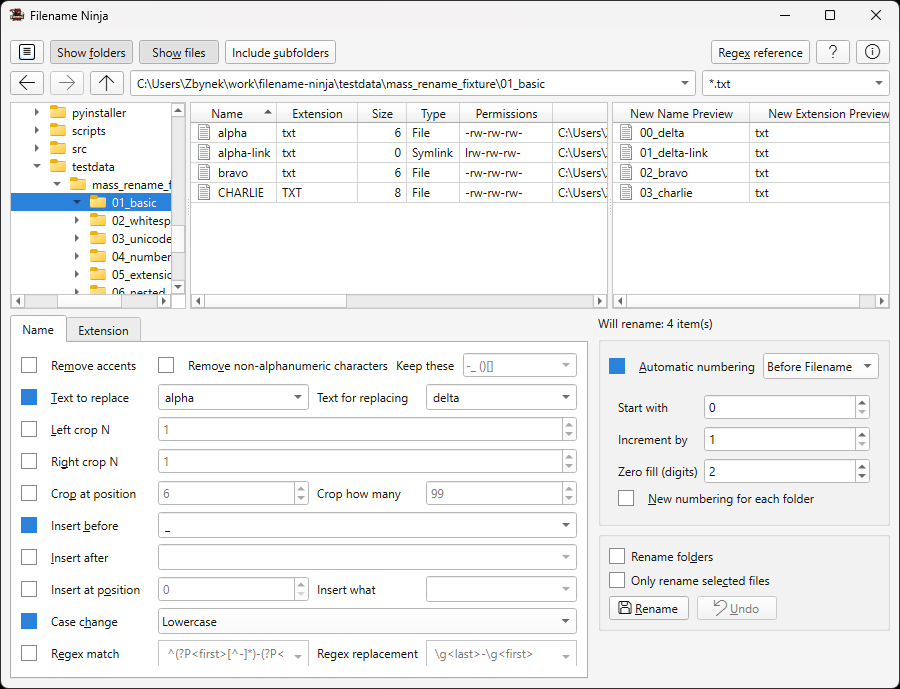
Main Window
The main interface showing folder navigation, file list, rename rules configuration, and live preview of results.
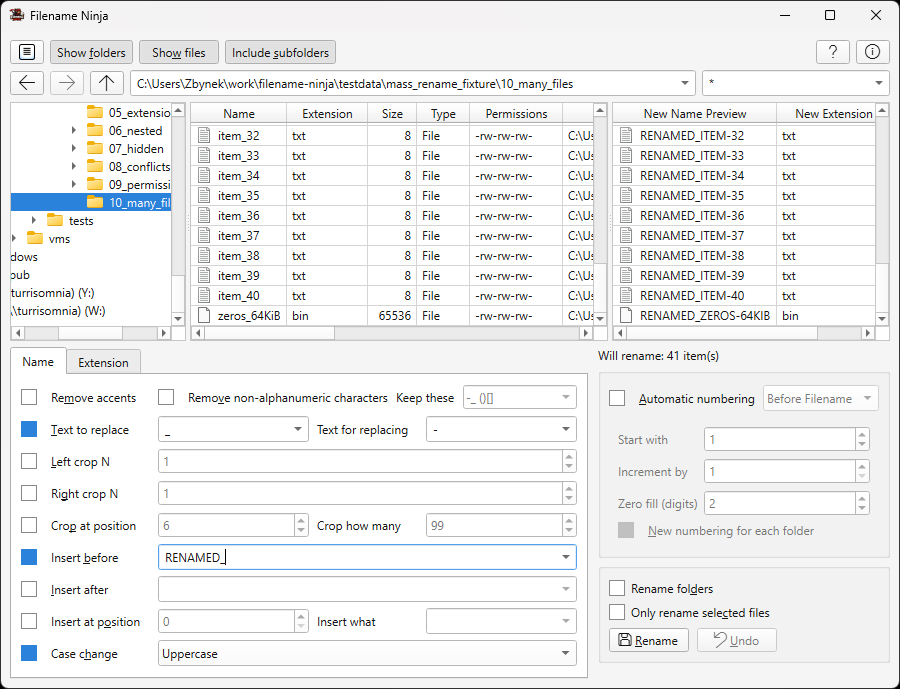
Name Tab Operations
Configure rename rules including case change, sanitize, text replace, crop, and insert operations. Enable only the rules you need.
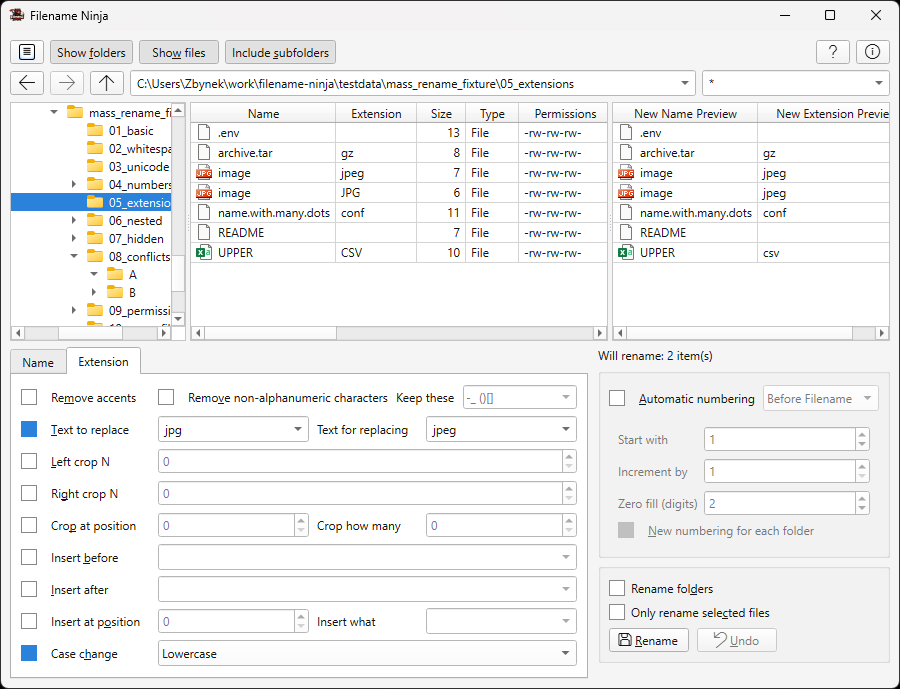
Extension Tab
Normalize file extensions independently from name rules. Convert mixed extensions like .JPEG, .JPG, and .jpeg to a unified format.
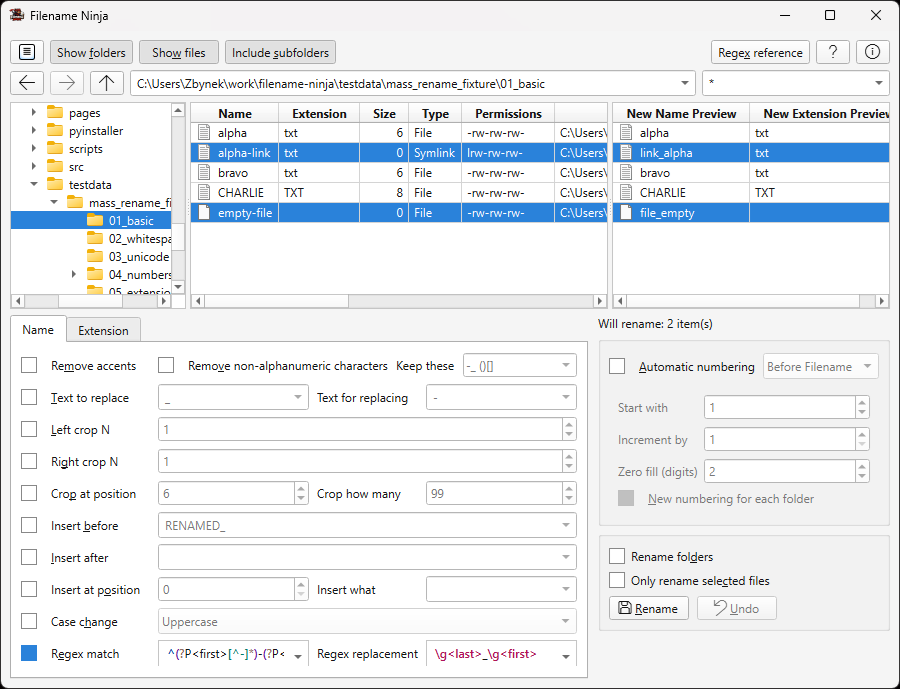
Regex Rename
Advanced pattern-based transformations using regular expressions. Rearrange filename parts, extract patterns, and more.
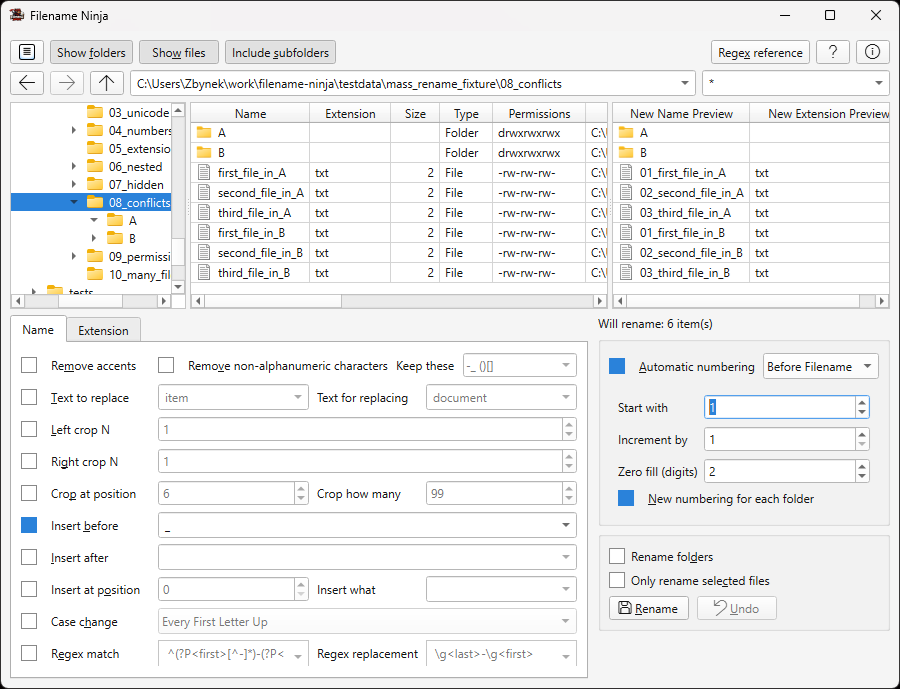
Automatic Numbering
Sequential numbering with configurable start value, increment, zero-fill, and per-folder restart options.
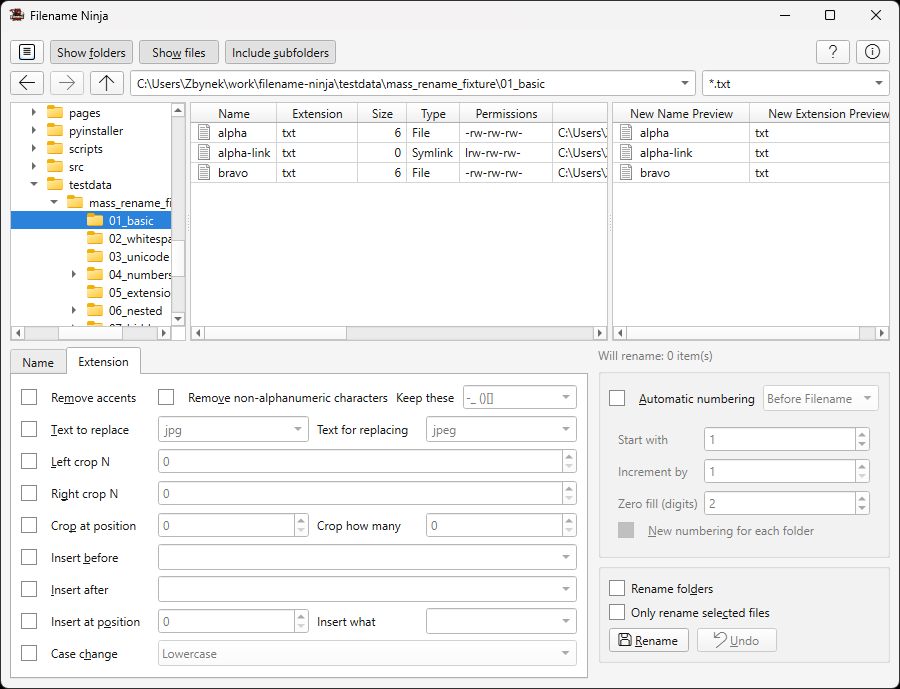
File Mask Filtering
Filter visible items using file masks like *.txt or *report*.
Only matching files are shown and eligible for renaming, keeping your operations focused and safe.
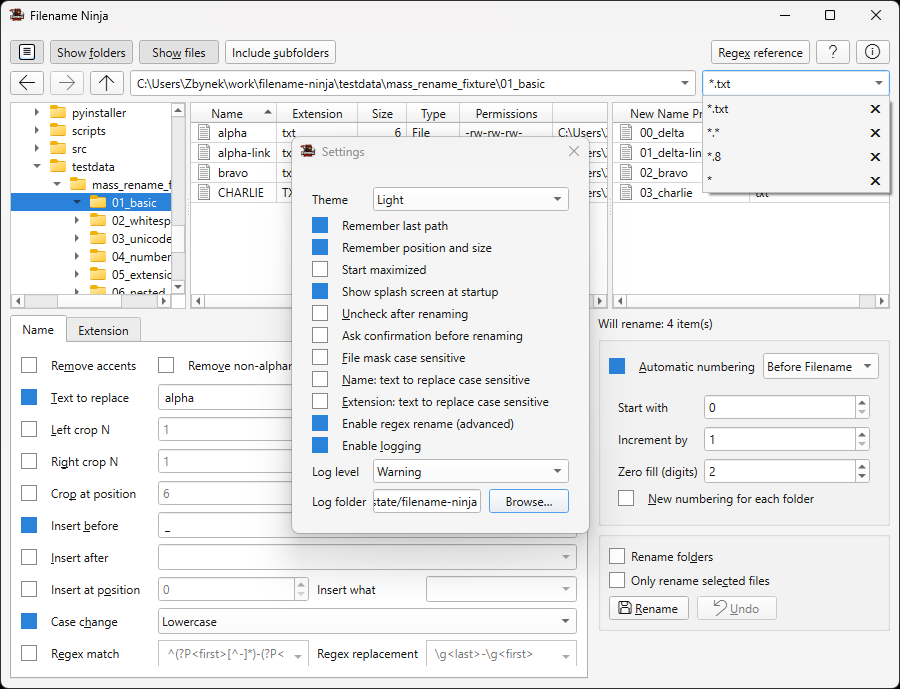
Settings & History
Comprehensive settings for behavior preferences, UI options, logging configuration, and pattern history management.